Jam Bus:Sandfall Level 29 Walkthrough and Solution
Use the checked bus-route notes, board images, and full video to clear Jam Bus:Sandfall Level 29.
- Objective
- Clear the bitten red apple sand picture and empty its vehicle field.
- Key challenge
- Red dominates the picture but several small right-edge colors must leave before the crowded red and white center can move.
- Guide format
- Video and board steps
- Solution source
- Gameplay video and board images
Video Walkthrough
Solution summary
Quick Answer
For the bitten red apple, select the orange car at x 70%, y 55% toward up, then select the red car at x 14%, y 80% toward left. Use the coordinates to distinguish the lower-left red checkpoint from the red buses at the top-left; the top-left vehicles remain on the board during this opening.
Level 29 at a Glance
- Initial parking slots
- 5 spaces
- Verified checkpoints
- 6 moves
- Colors in this guide
- 8 colors
- Full video length
- 10:22
- Critical route
- Red dominates the picture but several small right-edge colors must leave before the crowded red and white center can move.
Overall Strategy
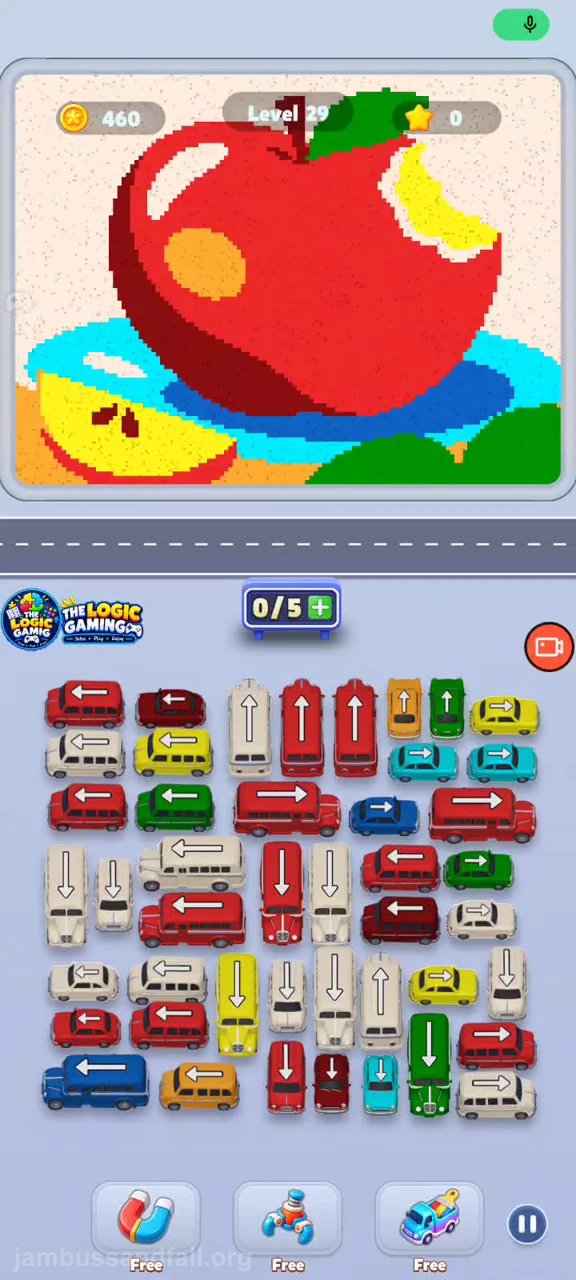
A large red apple with a yellow bite, green leaf, dark-red shadow, and orange highlight sits above blue and cyan bands. A yellow apple slice is at lower left. The vehicle field is dominated by red and white buses, with orange, green, cyan, and yellow exits on the right.
Red dominates the picture but several small right-edge colors must leave before the crowded red and white center can move.
Use the coordinates to distinguish the lower-left red checkpoint from the red buses at the top-left; the top-left vehicles remain on the board during this opening.
Starting Board
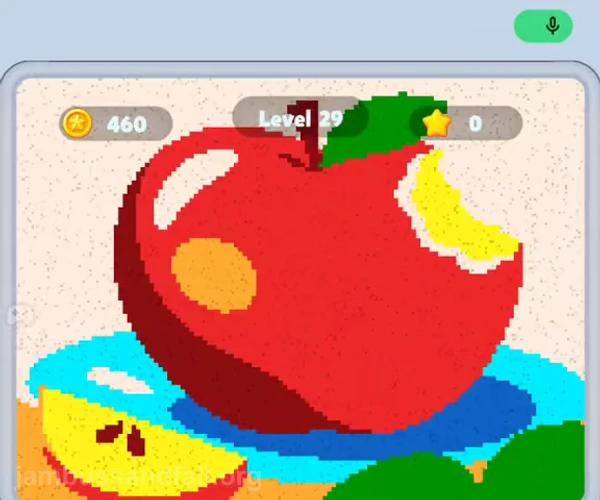
A large red apple with a yellow bite, green leaf, dark-red shadow, and orange highlight sits above blue and cyan bands. A yellow apple slice is at lower left. The vehicle field is dominated by red and white buses, with orange, green, cyan, and yellow exits on the right.
Verified Action Checkpoints
Positions use x/y percentages of the complete portrait screen, measured from its top-left corner.
| Move | Vehicle | Position | Action and purpose | Parking check |
|---|---|---|---|---|
| 1 | orange car | upper-rightx 70% · y 55% | Move up Before: The small orange car is near the upper-right edge beside the green car. Select the orange car at x 70%, y 55% and let it travel up. Result: The orange car leaves upward and its position clears. Collect the orange base without staging another large red bus.Avoid: Do not select another orange vehicle elsewhere in the field; confirm this arrow and edge route first. | Check for an available parking space before this release. The recording starts with five spaces and later uses 8; do not copy a later queue into the initial row. |
| 2 | red car | lower-leftx 14% · y 80% | Move left Before: The lower-left red car sits above the long blue bus and below a white car. Select the red car at x 14%, y 80% and let it travel left. Result: That lower-left red position becomes empty and a red collector enters the road. Open the lower-left red exit.Avoid: Do not select another red vehicle elsewhere in the field; confirm this arrow and edge route first. | Check for an available parking space before this release. The recording starts with five spaces and later uses 8; do not copy a later queue into the initial row. |
| 3 | green car | middle-rightx 82% · y 68% | Move right Before: The green car is on the right edge beside the upper red center bus. Select the green car at x 82%, y 68% and let it travel right. Result: The green car leaves to the right and green sand starts collecting. Clear the right-edge leaf color.Avoid: Do not select another green vehicle elsewhere in the field; confirm this arrow and edge route first. | Check for an available parking space before this release. The recording starts with five spaces and later uses 8; do not copy a later queue into the initial row. |
| 4 | cyan car | upper-rightx 86% · y 59% | Move right Before: The rightmost cyan car is in the second vehicle row, above the long red bus. Select the cyan car at x 86%, y 59% and let it travel right. Result: The cyan car leaves right and the matching base band drains. Reduce the cyan base through the outer exit.Avoid: Do not select another cyan vehicle elsewhere in the field; confirm this arrow and edge route first. | Check for an available parking space before this release. The recording starts with five spaces and later uses 8; do not copy a later queue into the initial row. |
| 5 | yellow car | upper-rightx 88% · y 55% | Move right Before: The small yellow top-right car remains after the cyan release. Select the yellow car at x 88%, y 55% and let it travel right. Result: The yellow car leaves the upper-right edge. Collect the yellow slice and bite without filling parking with red.Avoid: Do not select another yellow vehicle elsewhere in the field; confirm this arrow and edge route first. | Check for an available parking space before this release. The recording starts with five spaces and later uses 8; do not copy a later queue into the initial row. |
| 6 | white car | lower-rightx 87% · y 85% | Move right Before: The bottom-right white car points right beneath the red bus. Select the white car at x 87%, y 85% and let it travel right. Result: Its bottom-right position clears and white background collection continues. Use the direct bottom exit before the central white buses.Avoid: Do not select another white vehicle elsewhere in the field; confirm this arrow and edge route first. | Check for an available parking space before this release. The recording starts with five spaces and later uses 8; do not copy a later queue into the initial row. |
Board State by Phase
| Phase | Checkpoints | Expected board state | Parking rule |
|---|---|---|---|
| Opening | Checkpoints 1-6 and intervening releases | The upper orange car leaves first and the apple-slice base begins to clear. | Start with the five visible slots; do not add a vehicle when they are full. |
| Middle board | After checkpoint 6 | The apple body remains above a narrowing cyan band. Parking expands beyond five as the red and white vehicles are released. | Follow the displayed capacity; the recording later reaches 8 spaces. |
| Late board | After checkpoint 6 | Only a low red/green mound and a few red and white vehicles remain; the recording ends on the Congratulations screen. | Follow the displayed capacity; the recording later reaches 8 spaces. |
Board Progress
Step 1
Open the outer routes
The upper orange car leaves first and the apple-slice base begins to clear.
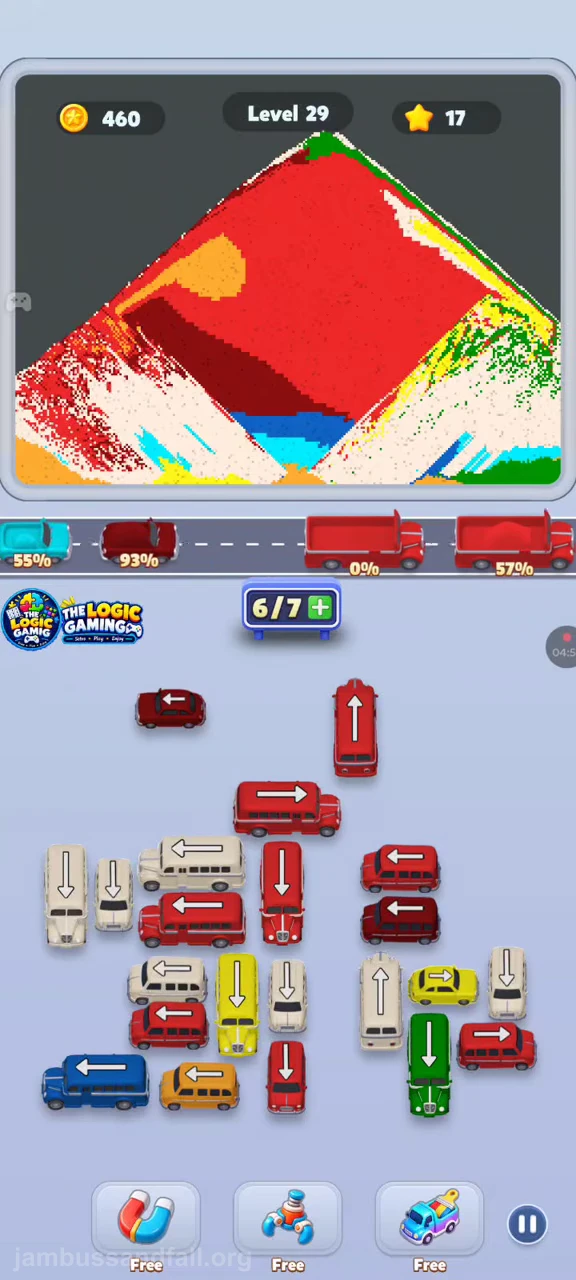
Step 2
Reduce the central picture
The apple body remains above a narrowing cyan band. Parking expands beyond five as the red and white vehicles are released.
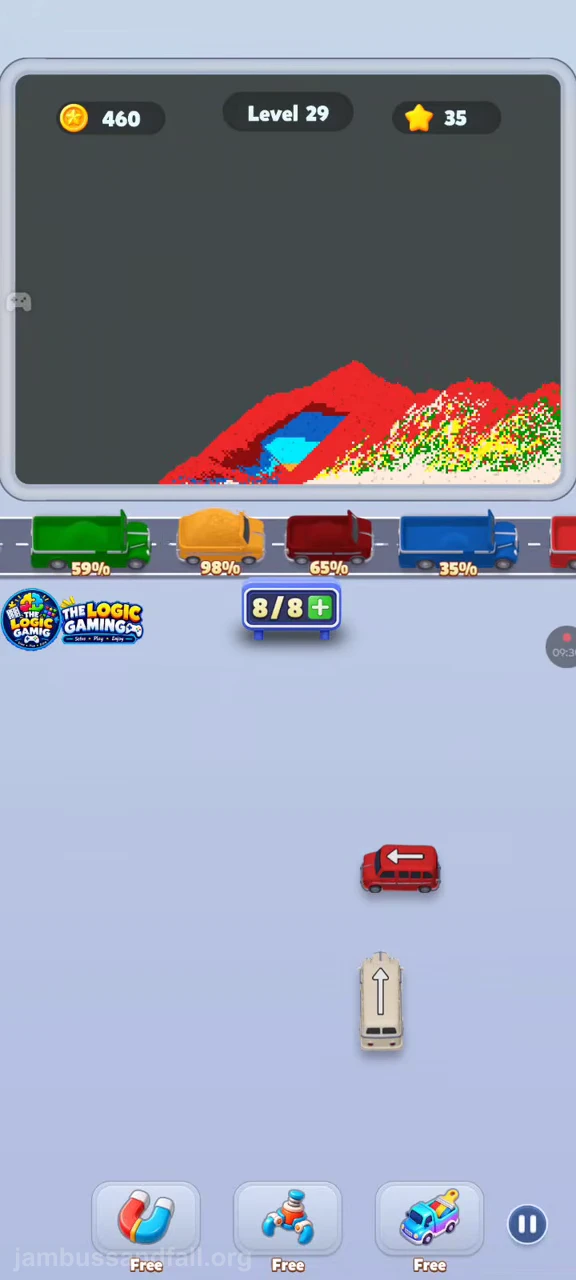
Step 3
Clear the final mound
Only a low red/green mound and a few red and white vehicles remain; the recording ends on the Congratulations screen.
Before Each Move
- Compare the vehicle with its full-screen coordinates.
- Follow the arrow rather than the nearest same-color vehicle.
- Check the current parking denominator before releasing another bus.
- Use the video for intervening releases between the listed checkpoints.
Where Players Get Stuck
Red dominates the picture but several small right-edge colors must leave before the crowded red and white center can move.
Jam Bus:Sandfall Level 29 FAQ
What picture appears in Level 29?
A large red apple with a yellow bite, green leaf, dark-red shadow, and orange highlight sits above blue and cyan bands. A yellow apple slice is at lower left. The vehicle field is dominated by red and white buses, with orange, green, cyan, and yellow exits on the right.
Which vehicle should I select first in Level 29?
Select the orange car at x 70%, y 55% and let it travel up.
Does Level 29 use only five parking spaces?
No. The recording starts with five and later expands to 8. Its late queue requires the displayed expanded capacity.
Is this the complete shortest move list for Level 29?
No. The table contains selected action checkpoints in video order. Use the video for the intervening releases; the source reaches the Congratulations screen.