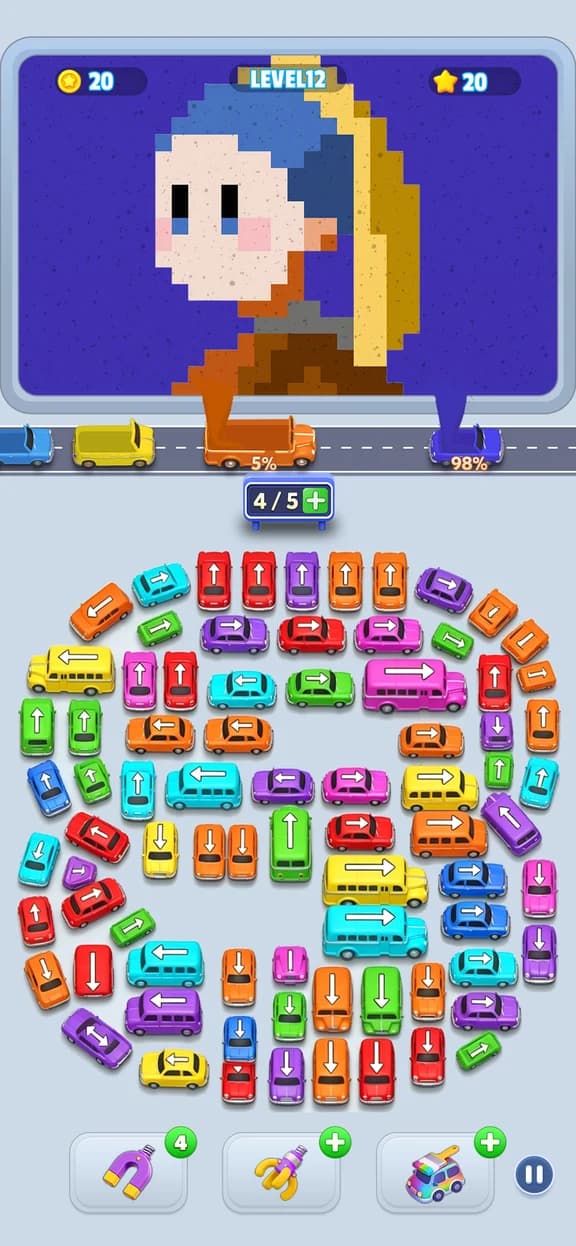
A numbered Jam Bus:Sandfall level may show a different picture after an update. The screenshot finder compares the visual board instead of assuming that every version uses the same number.
Capture the Opening Board
Reset the level and capture the full sand picture before any bus moves. Keep the picture panel visible and avoid covering it with another menu.
Use the Board, Not the Parking Row
The finder focuses on the 600 by 500 board covers in the guide library. The bus arrangement can still help you confirm a result, but the sand picture is the strongest visual signal.
Check the Top Matches
Open the closest result and compare the colors, outline, and major picture features. Then compare the first full-interface screenshot on the level page.
When No Match Appears
The current library covers published source videos only. A missing match may be a later level that has not yet been added. The playlist monitor checks for new numbered walkthroughs each week after the existing queue is complete.